

 by
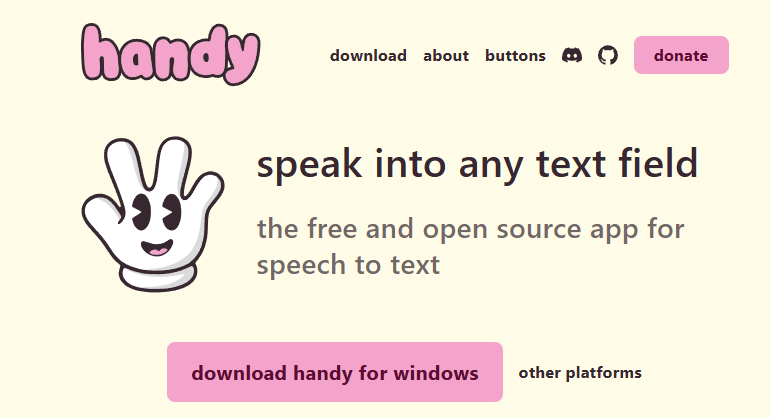
by If you’ve been using WisprFlow for speech-to-text transcription, I have some exciting news that might save you $144-180 per year. I recently discovered Handy, a completely free, open-source alternative that works entirely offline—and it has practically replaced typing across all my applications.
Why I Switched from WisprFlow
Don’t get me wrong—WisprFlow is a solid tool with its AI-powered editing and real-time transcription. But at $12-15 per month, the subscription cost adds up quickly. More importantly, all your voice data gets sent to the cloud for processing. For someone who values privacy and self-hosting like me, that was always a concern.
Handy solves both problems elegantly. It’s completely free, fully open-source under MIT license, and processes everything locally on your device. Your voice never leaves your computer, which is exactly how speech-to-text should work.
Performance That Rivals (and Often Beats) Paid Tools
The speed difference is remarkable. Handy uses OpenAI’s Whisper models with GPU acceleration, plus the newer Parakeet V3 model that’s specifically optimized for CPU performance. On my mid-range setup, it transcribes at approximately 5x real-time speed—meaning a 1-minute recording gets transcribed in about 12 seconds.
The workflow is dead simple:
- Press a configurable keyboard shortcut to start recording
- Speak naturally
- Release the shortcut
- Your transcribed text appears instantly in whatever application you’re using
How It Has Changed My Workflow
I now use Handy for everything—emails, documentation, chat messages, even code comments. The system-wide integration means it works in literally any text field across any application. Whether I’m drafting a technical document, responding to messages, or writing blog posts like this one, I can capture thoughts at the speed of speech rather than being limited by typing speed.
The tool automatically filters out silence using Voice Activity Detection (VAD), so you don’t need to worry about dead air or background noise cluttering your transcripts. For someone working in IT where documentation is constant, this has been a genuine productivity multiplier.
Getting Started with Handy
Setting up Handy takes just a few minutes:
- Download the latest release from the GitHub repository or handy.computer
- Install and grant necessary permissions (microphone and accessibility)
- Choose your preferred Whisper model (I recommend starting with Small or Medium)
- Configure your keyboard shortcuts
- Start transcribing
The tool works on Windows, macOS (both Intel and Apple Silicon), and Linux. With over 13,900 stars on GitHub and active development, it’s a mature project backed by a strong community.
The Open Source Advantage
Beyond just being free, Handy’s open-source nature means you can extend and customize it for your specific needs. The project is actively maintained with 43 releases to date and contributions from 54 developers. If you’re technically inclined, you can even fork it and build your own features.
Final Thoughts
For anyone currently paying for WisperFlow or similar cloud-based transcription services, Handy deserves serious consideration. It’s faster, completely private, costs nothing, and delivers transcription quality that matches or exceeds paid alternatives. The fact that it works offline means you can use it anywhere—no internet connection required.
If you’re interested in self-hosting and keeping control of your data (which aligns perfectly with the self-hosting philosophy I often write about), Handy is the obvious choice. Give it a try—you might find yourself canceling that WisperFlow subscription sooner than you think.
Project Link: https://github.com/cjpais/Handy
Website: https://handy.computer