
 by
by As a self-hosted enthusiast managing personal finance tools like Maybe Finance (now rebranded as Sure), I’ve encountered the occasional hiccup—like forgetting the admin password. If SMTP isn’t configured for email resets, you’re stuck… or so it seems. With server access, you can reset it directly via the Rails console or database. This guide walks you through both methods for a Docker-based setup, ensuring you regain access without downtime.
Whether you’re running Maybe Finance for expense tracking, budgeting, or investment monitoring, these steps will save your day. Let’s dive in.
Why This Happens and Quick Prep
Self-hosted apps like Maybe Finance rely on email for password resets, but misconfigured SMTP (common in local setups) blocks that flow. The good news? Docker gives you full container access.
Before Starting:
- Ensure you’re on the host server with root access (e.g., via SSH).
- Back up your database:
docker exec sure-db-1 pg_dump -U postgres sure_production > backup.sql(adjust DB name if needed). - Know your admin email and prepare a strong new password (12+ characters, mixed case, numbers/symbols).
This is for Docker containers like
sure-web-1(Rails app),sure-db-1(PostgreSQL), andsure-redis-1.
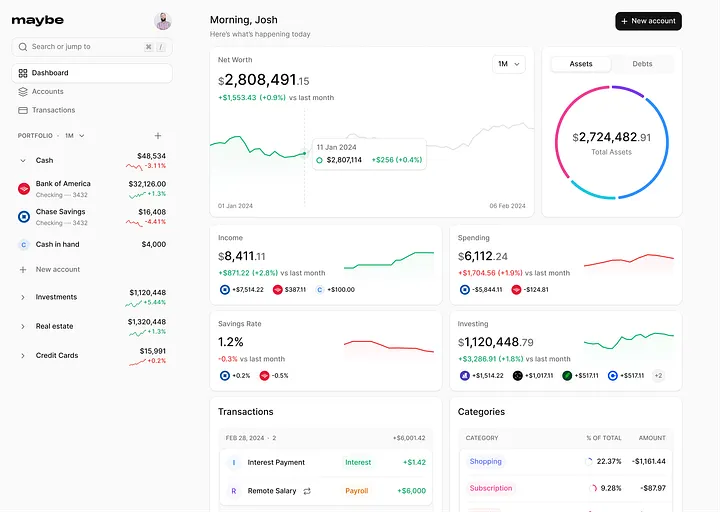
Method 1: Reset Using Rails Console (Easiest and Safest)
The Rails console handles encryption automatically, avoiding manual hash generation.
Step 1: Enter the Web Container
Run this on your host to open a shell in the app container:
bashdocker exec -it sure-web-1 /bin/bash
If bash isn’t available, use /bin/sh.
Step 2: Open Rails Console
Inside the container:
bashbundle exec rails c
This loads the app’s environment for safe database interactions.
Step 3: Find and Update Your User
Execute these Ruby lines one by one (replace placeholders):
rubyuser = User.find_by(email: "[email protected]")
user.password = "YourNewStrongPassword"
user.password_confirmation = "YourNewStrongPassword"
user.save!
Success? user.save! returns true. Exit with exit.
Step 4: Restart and Test
Exit the shell (exit), then restart:
bashdocker restart sure-web-1
Log in at http://your-server:3000 with the new password.
This method is foolproof for Rails apps like Maybe Finance.
Method 2: Direct Database Reset (If Console Fails)
For edge cases, update PostgreSQL manually. First, generate a bcrypt hash.
Step 1: Generate Password Hash
In the web container shell (docker exec -it sure-web-1 /bin/bash):
bashbundle exec rails runner "puts BCrypt::Password.create('YourNewStrongPassword')"
Copy the output (e.g., $2a$12$...).
Step 2: Access PostgreSQL
From host:
bashdocker exec -it sure-db-1 psql -U postgres
Step 3: Connect to Database and Update
Switch DB (try production first):
sql\c sure_production;
Update (replace placeholders):
sqlUPDATE users SET password_digest = '$2a$12$YOUR_HASH_HERE' WHERE email = '[email protected]';
Verify:
sqlSELECT email, password_digest FROM users WHERE email = '[email protected]';
Exit: \q.
Step 4: Restart and Verify
Restart web container as before. Test login.
Manual updates skip validations—double-check everything.
Troubleshooting Common Issues
- No Shell Access? Use
sudoor verify container names withdocker ps. - Console Errors? Run
bundle installinside the container. - Wrong DB Name? Check
docker inspect sure-web-1for DATABASE_URL. - Still Can’t Login? Clear browser cache, restart all:
docker restart $(docker ps -q --filter name=sure). - SMTP Fix Post-Reset: Once in, configure email in app settings for future resets.
If tables don’t exist, confirm schema with
\dtin psql. Check Maybe Finance GitHub for updates.
Wrapping Up
Regaining access to your self-hosted Maybe Finance shouldn’t be a headache. The Rails console method works 99% of the time and keeps things secure. If you’re into open-source finance tools, Maybe Finance is a gem for privacy-focused budgeting—worth the setup tweaks.
Have you faced similar self-hosting snags? Share in the comments!
Posted on October 4, 2025 | Tags: self-hosting, docker, rails, password reset